Running Several Offices as One Business
Three offices, three spreadsheets, one very tired head office. Here is what it looks like when every branch works in the same system and still keeps its own space.
 Imobria team · 2 min read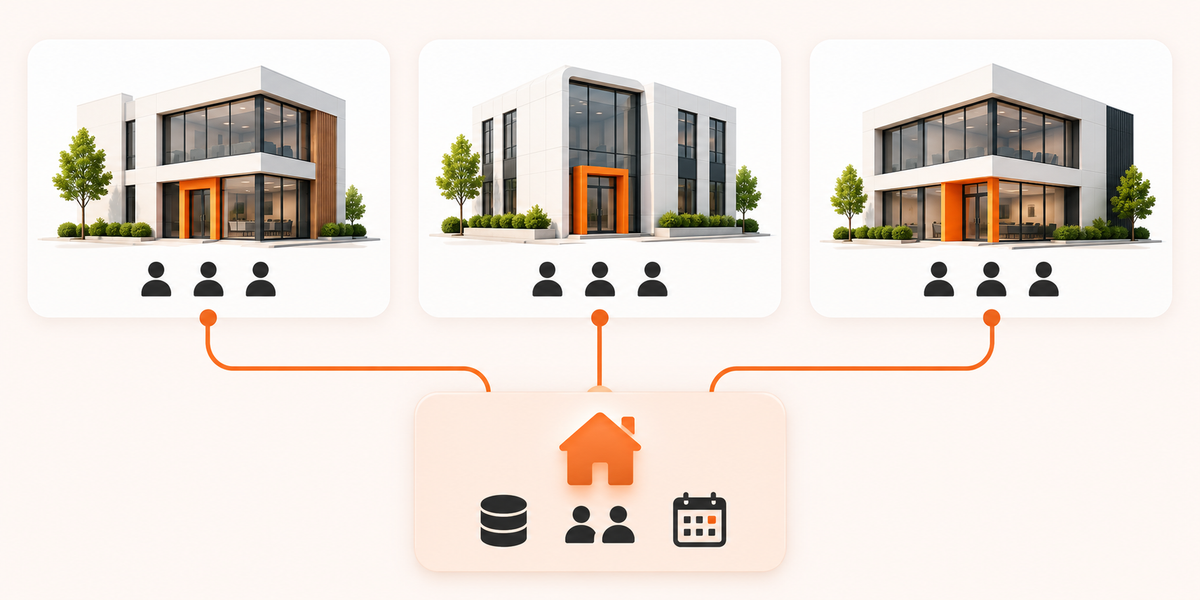
A quick note: this is a made-up agency, not a customer story. We use it because the problem is real, and very familiar.
Picture an agency with three offices. We will call them North, Central and Harbor, because every agency has a Harbor.
Each office is good at what it does. Each one also keeps its own list of properties, its own contacts and its own idea of what "a hot lead" means.
Three offices, three spreadsheets
On a Monday morning, head office asks a simple question: how many viewings did we do last week?
North answers by email. Central sends a screenshot. Harbor says it will get back to you.
Nobody is doing anything wrong. The data just lives in three places, and a number only exists once someone has gone and collected it.
One system, different views
The fix is not one giant list that everyone edits. That ends in chaos faster than the spreadsheets.
The fix is one system where everyone sees their slice of the same data.
Shared data.
Local control.
- Sales agents see their own listings, contacts and tasks.
- Branch managers see their whole office.
- Head office sees across all of them.
- Administrators look after settings, users and modules.
Same system, same data. Each person sees only what their role allows.
What head office finally sees
Take that Monday question again. With a shared system, "how many viewings last week?" becomes a screen, not a research project.
More usefully, head office can spot patterns without chasing anyone: which branch's inquiries are waiting longest, which listings get views but no calls, which team is quietly busy.
Think of it as a cockpit. The pilots still fly the plane. They just stopped reading the dials out loud over the radio.
What stays local
Centralizing has a bad reputation, and it has earned it. Nobody wants a head office that decides which flowers go in the Harbor branch window.
Good shared systems leave branches room to work their own way:
- Their own team and their own roles
- Their own listings and contacts, visible to the people who should see them
- Their own tasks and calendar
The aim is shared data, not shared opinions.
Moving over without a big bang
You do not have to switch three offices on a Monday. A calmer path:
- Pick the one module that hurts most. For many agencies that is inquiries, in a single inbox.
- Start with one branch and learn what works.
- Bring the others across when the first one is happy.
- Add modules (documents, invoices, analytics) as the team asks for them.
Imobria lets you switch modules on yourself from the admin panel, so the pace is yours.
The Monday question, answered
The real test of any shared system is how fast you can answer the boring question. If it takes a minute, you have it right.
Want to see how roles and branches work in practice? Book a demo. Or read how one platform adapts to different kinds of business.
Find the right Imobria for your business
Answer four quick questions and we'll recommend Agent, Agency or Marketplace.
Find your product